Collection Runner
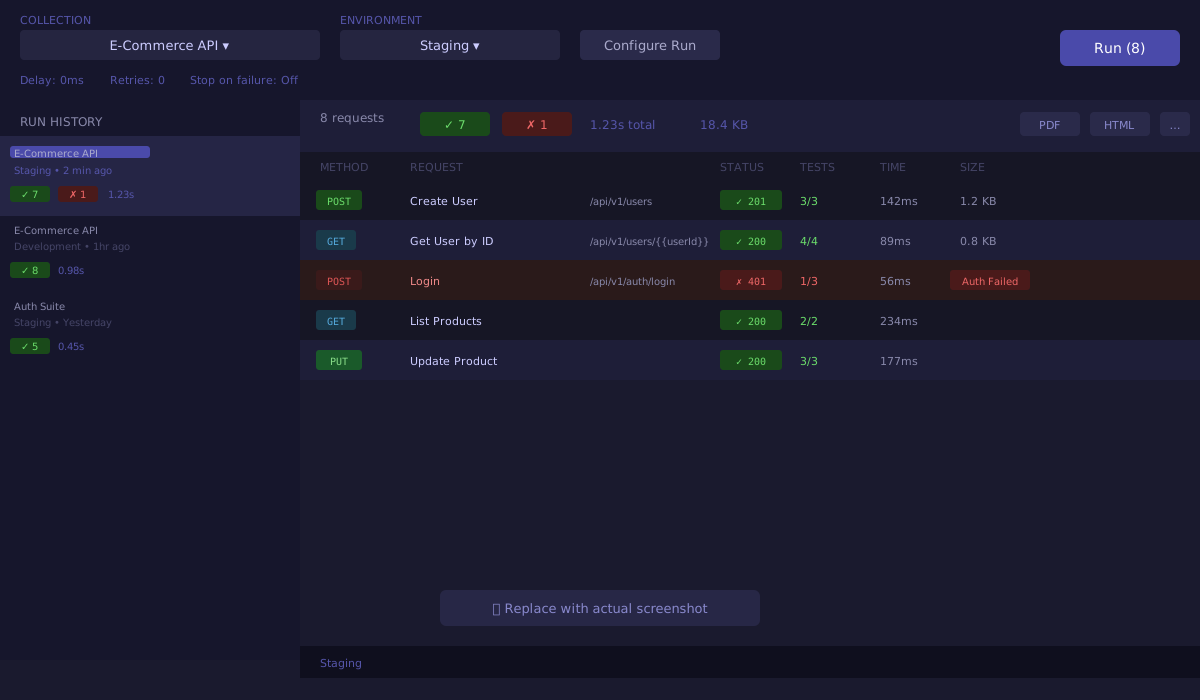
The Collection Runner executes every request in a collection automatically — one after another — and records the results. Use it to run a full API test suite after a deployment, validate a multi-step workflow end to end, or test the same endpoints with dozens of different inputs from a data file.
For the complete guide including test scripts, data-driven runs, flow control, and export formats, see the full Collection Runner guide.
Quick Start
- Click the Runner icon (play button) in the sidebar rail.
- Choose a Collection from the dropdown.
- Optionally choose an Environment.
- Click Run.
Results appear in real time as each request completes. Click any result row to see the full response, test assertion details, and timing breakdown.
What the Runner Does
- Executes every request in the collection sequentially, in collection order.
- Runs any test scripts attached to each request and records pass/fail results.
- Runs any pre-request scripts before each request.
- Supports delay between requests, automatic retries, and stop on first failure.
- Saves a full run history that persists across app restarts.
Exporting Results
Hover over any completed run in the history panel and click Download:
| Format | Best for |
|---|---|
| Sharing with stakeholders or archiving | |
| HTML | Viewing in a browser, sharing as a file |
| JUnit XML | CI/CD pipelines — Jenkins, GitHub Actions, GitLab CI |
Data-Driven Runs
Upload a CSV or JSON file to run the same collection once per data row — each row supplying different values for {{variables}} in your requests. See Running Tests with Data.